

Creating and managing a blog on WordPress is straightforward once you understand the difference between posts and pages, categories and tags, and how the editor works. WordPress powers more blogs than any other platform in the world.
This guide covers how to create and manage a blog on WordPress, from your first post to managing comments and categories.
Mastering WordPress: Your Guide to Blogging Success
How do I create and manage a blog on WordPress? Whether you aim to share your passion with the world or enhance your business’s online presence, developing and managing a WordPress blog can catapult your content to the forefront of the digital space. This guide provides a comprehensive approach to establishing, customising, and maintaining a successful blog on WordPress, one of the world’s most popular platforms.
Setting Up Your WordPress Blog
Firstly, starting a blog on WordPress involves choosing between WordPress.com and WordPress.org. WordPress.com offers a more contained environment with hosting included, making it ideal for beginners. Conversely, WordPress.org requires you to host your site, giving you greater control and customisation options. For those who wish to dive deep into customisation and manage their site independently, WordPress.org is the preferred choice.
Choosing the Right Theme
Once your WordPress account is active, the next step is selecting a theme. A theme determines the visual layout and design of your WordPress site. It’s crucial to pick a theme that aligns with the tone and purpose of your blog, whether it be a personal diary, a professional portfolio, or a niche news site. WordPress offers free and paid themes catering to a vast array of aesthetic preferences and functional needs.
Creating Your First Post
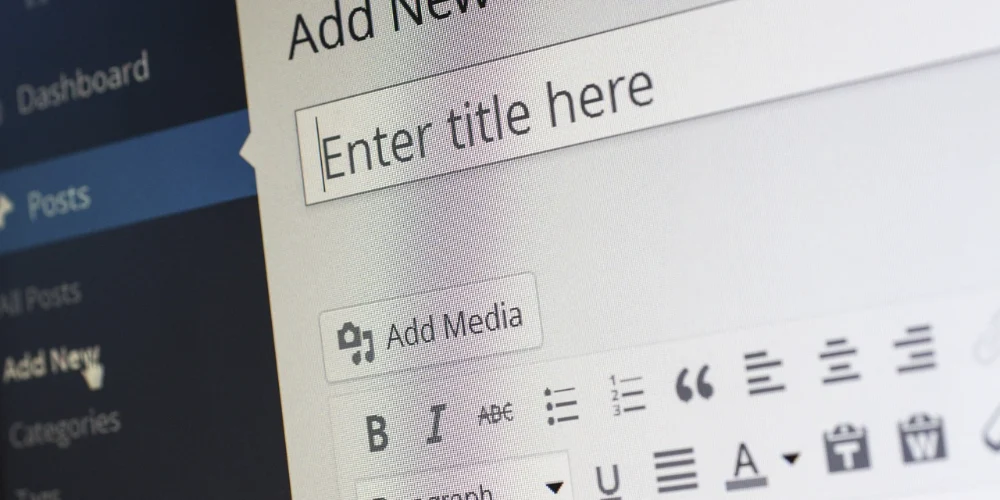
With your theme set, your next milestone is creating your first post. Navigate to the WordPress dashboard, find the ‘Posts’ menu, and select ‘Add New’. Here, you can craft your article, integrating text, images, and other media to enrich your content. Compelling posts on WordPress not only engage readers but also adhere to best practices for SEO, increasing the visibility of your WordPress articles across search engines.
Enhancing Your Blog with Plugins
Plugins extend the functionality of your WordPress blog, allowing you to add features that enhance the user experience and streamline site management. From SEO tools to social media sharing and security enhancements, plugins can transform a primary blog into a powerful web platform. Essential plugins like Yoast SEO for search optimisation, Jetpack for performance analytics, and Akismet for spam protection are highly recommended.
Engaging with Your Audience
Interaction is vital to growing your blog. Encourage your readers to leave comments and promptly respond to them. Google’s helpful content guidance is worth reading to ensure your blog posts meet quality standards. Encourage your readers to leave comments and promptly respond to them to foster a community around your blog. Also, effectively manage your WordPress comments section to maintain a positive and respectful discussion environment.
Regularly Updating and Maintaining Your Blog
Maintaining a blog involves more than just regular posting. You must update WordPress themes and plugins to their latest versions to secure your site from vulnerabilities and ensure optimal performance. Regular backups are also crucial to prevent data loss.
Tracking Your Blog’s Performance
Understanding how your blog performs and how visitors interact with your content is crucial for growth. Tools like Google Analytics integrate seamlessly with WordPress, providing insights into visitor behaviour, traffic sources, and content effectiveness. Use this data to refine your strategy and enhance your content.
Expanding Your Content Strategy
As your blog grows, consider diversifying your content to include videos, podcasts, and interviews, which can attract a broader audience. Exploring different content types can keep your blog dynamic and engaging for returning visitors.
Creating and managing a successful WordPress blog is a fulfilling journey that requires commitment, strategy, and creativity. By following these detailed steps and continually adapting to the digital landscape, you can build a robust online presence that captivates and grows your audience.
Our website maintenance service keeps your WordPress site updated and performing well so you can focus on creating great content. To get started on the platform itself, read our guide on what WordPress is and how it works, and for installing WordPress see our guide on how to install WordPress on your website.